What Is a Website Sitemap? A Complete Guide for Service Businesses
BY THE DHM TEAM14 MIN READ

On this page, 11 sections
A website sitemap is a structured file that lists all the important pages on your website, helping search engines like Google discover, crawl, and index your content efficiently. For service businesses competing in local markets, a well-structured sitemap ensures search engines find your service pages, location pages, and valuable content, which directly impacts your visibility in search results and your ability to generate leads.
According to Ahrefs (2025), 91% of web pages receive zero organic traffic from Google, often because search engines never discovered or indexed those pages. A properly configured sitemap eliminates this blind spot, acting as a direct communication channel between your website and search engine bots.
Think of a sitemap as a blueprint of your website’s architecture. Without it, search engine spiders must rely solely on internal linking to discover pages. If your site has few external links pointing to it or pages buried deep within your site’s structure, those essential pages may never appear in search results.
At Digital Hype Media, we’ve seen San Diego service businesses dramatically improve their organic visibility simply by implementing sitemap best practices. This guide breaks down everything you need to know, from XML sitemap fundamentals to advanced integration with Google Search Console.
Understanding Website Sitemaps: The Foundation of SEO Success
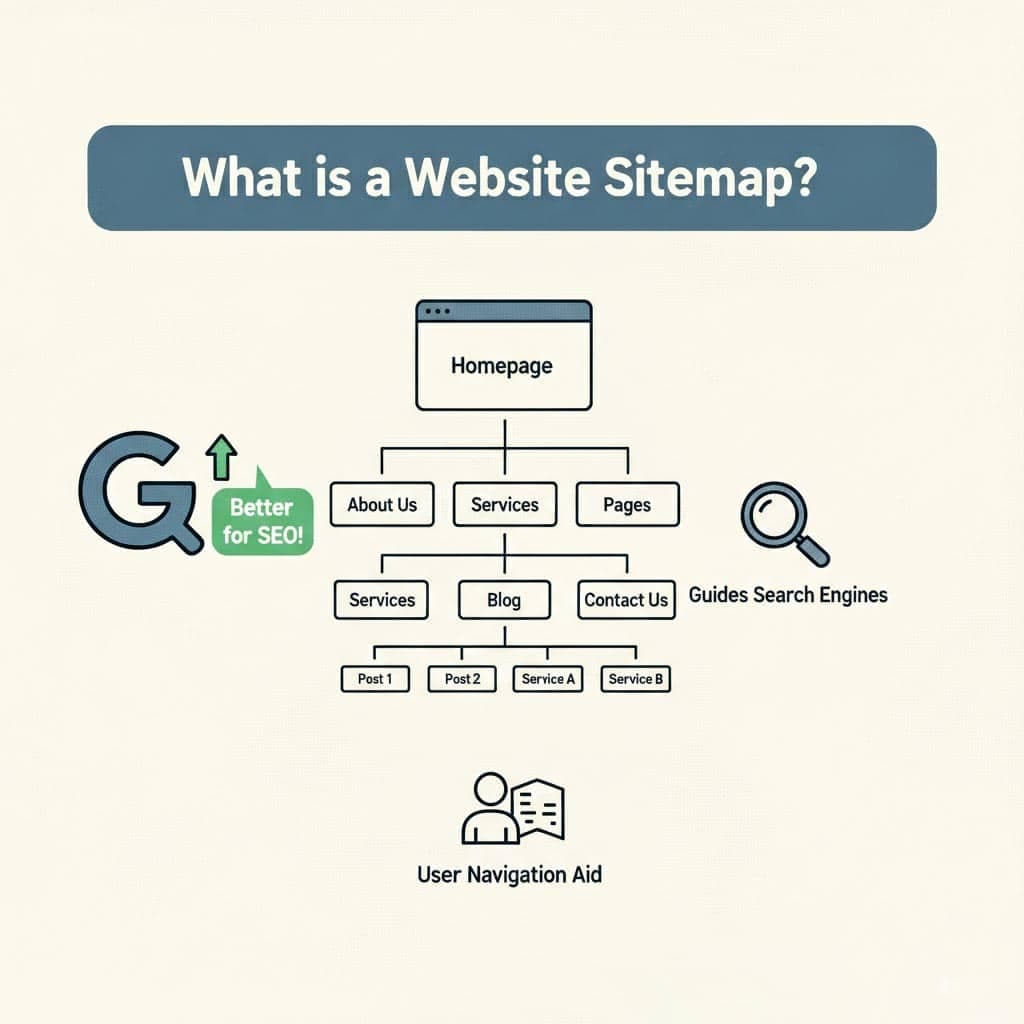
A website sitemap serves as a comprehensive roadmap that outlines all the pages on your site and their relationships to each other. This visual representation of your website structure helps both search engines and website visitors navigate your content effectively.
The term “sitemap” actually refers to two distinct concepts:
| Sitemap Type | Purpose | Format | Primary Audience |
|---|---|---|---|
| XML Sitemap | Machine-readable file for crawlers | Extensible Markup Language (.xml) | Search engine bots |
| HTML Sitemap | Human-readable navigation page | Standard web page | Website visitors |
| Visual Sitemaps | Planning diagrams showing hierarchy | Flowcharts/diagrams | Designers and developers |
An XML sitemap communicates directly with search engines, listing every URL you want indexed along with metadata about each page. An HTML sitemap provides a user-friendly directory that helps visitors find key pages through clear structure and logical hierarchy.
Google’s John Mueller has repeatedly emphasized sitemap importance, stating that sitemaps help Google “find pages that we might not otherwise discover through crawling.” This is particularly critical for service businesses with complex service offerings spread across multiple web pages.
Semrush research indicates that websites with properly configured sitemaps see up to 27% faster indexing of new pages compared to sites without sitemaps. For service businesses publishing new content regularly, this acceleration translates directly into competitive advantage.
Why Website Sitemaps Matter for Service Businesses
Service businesses face unique challenges in search visibility. Unlike e-commerce sites with product feeds, professional service firms rely on content marketing, location-based optimization, and thought leadership to attract their target audience.
Consider these scenarios where sitemaps directly impact service business success:
- Multi-location practices: Law firms, dental offices, and consulting agencies with multiple locations need search engines to discover pages for each service area
- Comprehensive service offerings: Financial advisors, healthcare providers, and marketing agencies often have dozens of service-specific landing pages
- Content-heavy strategies: Firms publishing blog posts, case studies, and resource guides need new pages indexed quickly
The competitive advantage is measurable. Studies from BrightEdge show that service businesses with optimized technical SEO foundations (including properly configured sitemaps) experience 2.3x higher organic traffic growth than competitors neglecting these fundamentals.
For lead generation specifically, every page Google indexes represents a potential entry point for prospective clients. When your sitemap ensures search engines crawl and index your most valuable pages (service descriptions, case studies, team profiles), you create multiple pathways for client acquisition.
Real-world examples illustrate this impact:
- A San Diego personal injury law firm increased organic leads 34% after correcting sitemap errors that had left 47 practice area pages unindexed
- A financial consulting firm saw their blog post content appear in search results 60% faster after implementing dynamic sitemap updates
- A healthcare practice group improved local search visibility across 12 locations by properly structuring location-specific sitemaps
Key Components of Website Sitemaps
Understanding sitemap components helps you create sitemaps that maximize search engine effectiveness. Each element serves a specific purpose in communicating your website’s purpose and content organization.
| Component | Description | Impact on SEO |
|---|---|---|
| <loc> | The URL of the page | Required: tells crawlers where to find content |
| <lastmod> | Date of last modification | Helps prioritize crawling of recently updated pages |
| <changefreq> | How often page typically changes | Suggests crawl frequency (Google treats as a hint) |
| <priority> | Relative importance (0.0-1.0) | Indicates most valuable pages within your site |
| Sitemap Index File | Lists multiple sitemaps | Essential for large sites exceeding URL limits |
Beyond the standard XML file, service businesses often benefit from specialized sitemap types:
Image Sitemaps: If your site includes many media files (project photos, team headshots, infographics), image sitemaps help Google discover and index these image files for visual search.
Video Sitemaps: For firms using video testimonials, service explanations, or webinar content, video sitemaps ensure this rich media content appears in video search results.
News Sitemaps: Service businesses publishing news articles or time-sensitive industry commentary can use news sitemaps for Google News inclusion.
Popular sitemap tools and plugins include:
- Yoast SEO (WordPress): Automatically generates XML sitemaps with customizable settings
- Rank Math (WordPress): Offers advanced sitemap configuration including image and video support
- Screaming Frog SEO Spider: Creates sitemaps through crawl analysis, ideal for auditing existing content
XML Sitemaps: The Search Engine Blueprint
An XML sitemap follows strict formatting requirements established by the Sitemaps.org protocol. Understanding these technical specifications ensures search engines find and process your sitemap correctly.
The basic structure includes:
<?xml version="1.0" encoding="UTF-8"?>
<urlset xmlns="http://www.sitemaps.org/schemas/sitemap/0.9">
  <url>
    <loc>https://example.com/services/</loc>
    <lastmod>2025-01-15</lastmod>
    <changefreq>weekly</changefreq>
    <priority>0.9</priority>
  </url>
</urlset>
Google enforces specific limits on sitemap files:
- Maximum 50,000 URLs per sitemap file
- Maximum 50MB file size (uncompressed)
- Files must be UTF-8 encoded
- URLs must use the same protocol (HTTP/HTTPS) as the sitemap location
For service businesses with large sites (hundreds of service pages, blog posts, location pages, and resource content), a sitemap index file becomes necessary. This master file references multiple sitemaps organized by content type or section:
<sitemapindex xmlns="http://www.sitemaps.org/schemas/sitemap/0.9">
  <sitemap>
    <loc>https://example.com/sitemap-services.xml</loc>
    <lastmod>2025-01-15</lastmod>
  </sitemap>
  <sitemap>
    <loc>https://example.com/sitemap-blog.xml</loc>
    <lastmod>2025-01-14</lastmod>
  </sitemap>
</sitemapindex>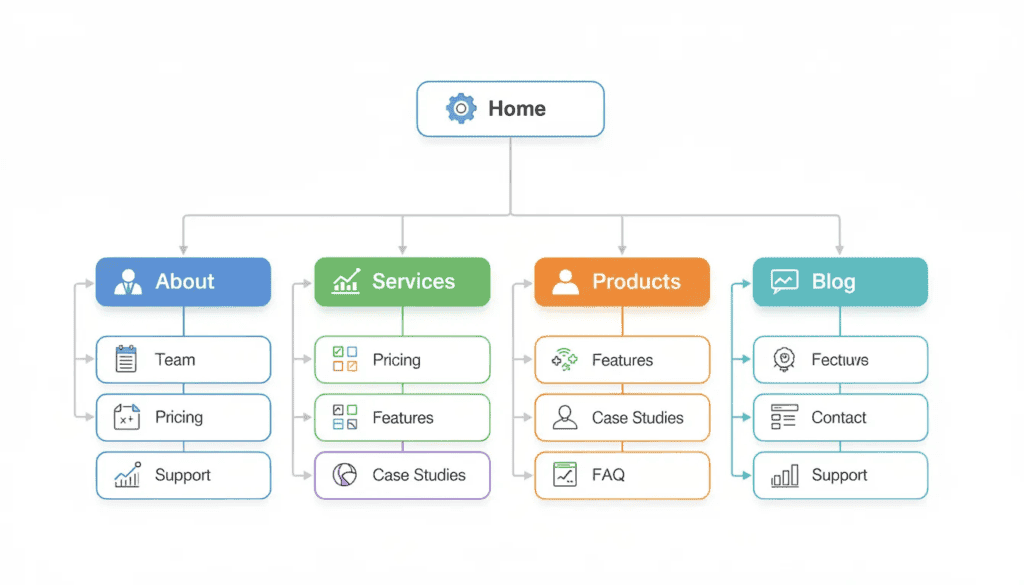
How Google Search Console Uses Sitemaps
Google Search Console serves as your direct communication channel with Google’s indexing systems. Submitting your sitemap to Google through this tool provides visibility into how Google processes your site pages.
Step-by-step sitemap submission:
- Log into Google Search Console and select your property
- Navigate to “Sitemaps” under the Index section
- Enter your sitemap URL (typically /sitemap.xml or /sitemap_index.xml)
- Click “Submit” and monitor status
After submission, Google Search Console provides critical insights:
Status Reports: See whether your sitemap was successfully read, contains errors, or has warnings requiring attention.
Coverage Reports: Understand how many URLs from your sitemap Google has indexed versus excluded. Common exclusion reasons include:
- Pages blocked by robots.txt
- Pages with noindex directives
- Duplicate content issues
- Crawl anomalies
Indexing Insights: Track which pages Google indexes over time, helping you identify patterns in how new pages get discovered.
The search results count shown in coverage reports reveals discrepancies between submitted URLs and indexed pages. If your sitemap contains 500 URLs but only 320 are indexed, investigation is needed to understand why 180 important web pages remain out of search results.
Search Engine Crawlers and Sitemap Interaction
Web crawlers (Googlebot, Bingbot, and others) use sitemaps as discovery mechanisms. Understanding how search engine spiders interact with sitemaps helps you optimize for efficient crawling.
When Googlebot encounters your sitemap, it doesn’t immediately crawl every URL. Instead, it adds URLs to a crawl queue, prioritizing based on several factors:
- PageRank and authority of individual pages
- Crawl budget allocated to your domain
- Update frequency signals from lastmod dates
- Priority values you’ve assigned
Crawl budget (the resources Google allocates to crawling your site) becomes particularly important for large sites with thousands of pages. Sitemaps help ensure your crawl budget focuses on essential pages rather than being wasted on duplicate content or low-value URLs.
Research from Google’s Gary Illyes confirms that sitemaps accelerate discovery but don’t guarantee indexing. Pages must still meet quality thresholds and provide valuable content to earn rankings.
For service businesses, this means your sitemap should focus on:
- All the pages that drive business value
- Service and location pages with clear structure
- Blog content and resources that demonstrate expertise
- Cornerstone content that anchors your site’s topical authority
Sitemaps and Robots.txt Integration
The robots.txt file and sitemap work together to guide search engine behavior. Sitemaps tell crawlers which pages to discover; robots.txt controls what they can access.
Proper robots.txt configuration includes a sitemap declaration:
User-agent: *
Allow: /
Sitemap: https://example.com/sitemap.xml
This directive points search engines directly to your sitemap location without requiring them to guess standard paths. For sites using multiple sitemaps, list each one:
Sitemap: https://example.com/sitemap-pages.xml
Sitemap: https://example.com/sitemap-posts.xml
Sitemap: https://example.com/sitemap-locations.xml
Critical coordination points:
- Never include URLs in your sitemap that are blocked by robots.txt: this sends conflicting signals
- Ensure sitemap URLs match your canonical URL format (www vs. non-www, HTTP vs. HTTPS)
- Use robots.txt to prevent crawling of admin pages, duplicate archives, and other non-essential content
The robots.txt file typically lives at your domain root: https://yourdomain.com/robots.txt. Search engines check this file before crawling, making it the first place to establish sitemap to Google communication.
SEO Fundamentals: Beyond Sitemaps
Sitemaps represent one component within a comprehensive SEO strategy. Understanding how they integrate with other ranking factors helps you prioritize efforts appropriately.
From an SEO perspective, technical optimization encompasses multiple checklist items:
Technical SEO foundations:
- Site speed optimization (Core Web Vitals)
- Mobile responsiveness and user experience
- HTTPS security implementation
- Clean URL structure and logical hierarchy
- XML sitemap and robots.txt configuration
- Structured data markup
On-page SEO elements:
- Title tags and meta descriptions
- Header structure (H1, H2, H3 hierarchy)
- Internal linking between related content
- Image optimization with descriptive alt text
- Content quality and keyword relevance
Off-page SEO factors:
- Backlink profile quality
- Brand mentions and citations
- Local SEO signals (for service businesses)
- Social proof and engagement signals
Sitemaps help search engines crawl your content efficiently, but they don’t directly influence rankings. A page listed in your sitemap still needs compelling content, strong internal linking, and authority signals to rank competitively.
Think of technical SEO as the foundation of a building: without it, nothing else stands. But the foundation alone doesn’t make the building valuable; that requires architecture, design, and functionality working together.
Ranking Factors That Work With Sitemaps
Google’s ranking algorithms consider hundreds of factors when determining search result positions. Sitemaps support these factors by ensuring content is discoverable, but additional optimization determines competitive success.
E-E-A-T (Experience, Expertise, Authoritativeness, Trustworthiness):
Service businesses thrive when Google recognizes their expertise. Sitemaps ensure your most authoritative content (case studies, credentials pages, expert blog content) gets indexed. But E-E-A-T signals come from:
- Author bylines with credentials
- About pages demonstrating expertise
- Client testimonials and reviews
- Industry recognition and publications
Core Web Vitals:
Technical performance metrics including:
- Largest Contentful Paint (loading speed)
- Interaction to Next Paint (interactivity)
- Cumulative Layout Shift (visual stability)
These user experience signals impact rankings independent of sitemap status. Ahrefs research shows pages passing all Core Web Vitals thresholds rank 1.3 positions higher on average.
Internal Linking:
Pages comprehensively linked internally receive more crawler attention and ranking signals. Sitemaps complement, but don’t replace, strategic internal linking. Your home page, service hub pages, and cornerstone content should receive the most internal links, creating a user journey that guides both visitors and crawlers.
Content Quality:
Google’s helpful content updates prioritize content written for humans first. Even perfectly indexed pages won’t rank if they fail to provide valuable content matching search intent.
Sitemap Best Practices for Service Businesses
Implementing sitemap creation correctly requires attention to service industry-specific needs. These best practices address common challenges facing professional service firms.
Organizational strategies:
- Structure sitemaps by content type: services, locations, blog, resources
- Create logical hierarchy reflecting your dropdown menu navigation
- Include all valuable pages while excluding administrative or duplicate content
- Prioritize pages driving business outcomes (consultations, contact forms)
Location-based optimization:
For multi-location service businesses:
- Create location-specific pages for each service area
- Include all location pages in sitemaps with appropriate priority
- Use consistent URL patterns: /locations/san-diego/ or /san-diego-services/
- Update lastmod dates when location information changes
Content inclusion decisions:
| Include in Sitemap | Exclude from Sitemap |
|---|---|
| Service pages | Admin/login pages |
| Location pages | Thank you pages |
| Blog posts | Paginated archives |
| Team profiles | Parameter-based duplicates |
| Case studies | Staging/test pages |
| Resource downloads | Thin content pages |
Maintenance schedules:
- Weekly: Verify new pages are included automatically
- Monthly: Review Google Search Console for errors
- Quarterly: Audit for removed pages still in sitemap
- Annually: Complete sitemap restructure review
Creating and Implementing Sitemaps: Step-by-Step Guide
Sitemap creation approaches vary by platform. These instructions cover major content management system options and validation procedures.
WordPress Implementation:
- Install Yoast SEO or Rank Math plugin
- Navigate to SEO settings → XML Sitemaps
- Enable sitemap functionality
- Configure which post types and taxonomies to include
- Access your sitemap at /sitemap_index.xml
- Submit URL to Google Search Console
Shopify Implementation:
Shopify automatically generates a sitemap at /sitemap.xml. To optimize:
- Ensure all products and pages are set to “visible”
- Use proper collection organization
- Create blog content that automatically enters the sitemap
- Submit to Google Search Console
Custom CMS/Static Sites:
- Use Screaming Frog to crawl and generate sitemap
- Alternatively, use online sitemap tools like XML-Sitemaps.com
- Upload generated XML file to site root
- Add sitemap reference to robots.txt
- Submit to search console platforms
Validation procedures:
- Check the Sitemaps report in Google Search Console
- Check for XML syntax errors
- Verify all URLs return 200 status codes
- Confirm URLs match canonical versions
- Test with Screaming Frog’s sitemap analysis
Submission to search engines:
- Google: Submit through Google Search Console
- Bing: Submit through Bing Webmaster Tools
- Both accept sitemap URLs in robots.txt declarations

When Service Businesses Need Professional Sitemap Optimization
While basic sitemap creation is straightforward, certain scenarios require professional SEO expertise.
Complex site architectures:
Service businesses with hundreds of pages across multiple service categories often face:
- Orphaned pages lacking internal links
- Conflicting canonical signals
- Improper priority distribution
- Large sites exceeding standard sitemap limits
Enterprise-level requirements:
Larger organizations may need:
- Dynamic sitemap generation from databases
- Integration with CRM/ERP systems
- Automated workflows for content publication
- Multi-domain sitemap coordination
Technical implementation challenges:
Common issues requiring professional intervention:
- JavaScript-rendered content not appearing in sitemaps
- Faceted navigation creating duplicate URLs
- International content requiring hreflang sitemaps
- Migration projects preserving sitemap integrity
Recovery scenarios:
When organic traffic drops unexpectedly, professional audits can identify:
- Broken links accumulating in sitemaps
- Noindex tags accidentally applied
- Robots.txt blocking important sections
- Redirect chains breaking sitemap URLs
AI and the Future of Sitemap Optimization
Artificial intelligence is transforming how search engines discover pages and interpret website content. Understanding these changes helps future-proof your sitemap strategy.
AI-powered crawling:
Google’s AI systems, including RankBrain and MUM, interpret content semantically rather than simply following links. However, sitemaps remain essential for:
- Ensuring new pages enter the discovery queue
- Communicating content updates through lastmod signals
- Providing structure information about site organization
Dynamic sitemap generation:
Modern content management system platforms increasingly offer:
- Real-time sitemap updates when content publishes
- Automatic removal of deleted or redirected pages
- Priority adjustments based on traffic patterns
- Integration with publishing workflows
Machine learning and indexing:
Google’s AI initiatives affect how indexed pages perform:
- Content quality assessment happens automatically
- Topic clustering influences related page visibility
- User engagement signals feed back into ranking
For service businesses, this means sitemaps must work alongside quality content strategies. Submitting a sitemap doesn’t guarantee visibility, but without proper sitemap configuration, even excellent content may remain undiscovered.
How Digital Hype Media Optimizes Sitemaps for Service Businesses
At Digital Hype Media, our San Diego-based team provides comprehensive sitemap optimization as part of technical SEO services designed specifically for service businesses.
Our approach includes:
Technical Sitemap Audits:
- Complete crawl analysis identifying missing or problematic pages
- Google Search Console integration for indexing insights
- Priority structure recommendations based on business goals
- Identification of orphaned pages and crawlability issues
Implementation Services:
- Custom sitemap configuration for complex architectures
- CRM/ERP integration for dynamic content sites
- Multi-location sitemap organization
- Video and image sitemap creation for rich media content
Ongoing Monitoring:
- Weekly crawl health checks
- Automated broken links detection
- New content indexing verification
- Monthly performance reporting
Proven Results:
Our service business clients have achieved measurable improvements:
- Law firms seeing 40%+ increases in indexed practice area pages
- Healthcare practices improving local search visibility across multiple locations
- Financial advisors accelerating new content discovery by 65%
- Consulting firms resolving technical issues blocking high-value pages
We combine sitemap optimization with comprehensive technical SEO, ensuring your website structure supports long-term organic growth.
Common Sitemap Mistakes That Hurt Service Business Rankings
Avoiding these frequent errors prevents indexing problems that undermine your SEO investment.
Structural errors:
- Including noindex pages in sitemaps (sends conflicting signals)
- Using HTTP URLs in sitemaps when site uses HTTPS
- Listing URLs blocked by robots.txt
- Exceeding size limits without implementing sitemap index files
Content problems:
- Including duplicate content URLs
- Adding thin content pages with little value
- Keeping deleted pages in sitemaps (404 errors)
- Missing new pages due to manual sitemap management
Technical issues:
- Broken links to pages that no longer exist
- Redirect chains breaking URL resolution
- Incorrect lastmod dates misleading crawl prioritization
- XML syntax errors preventing parsing
Maintenance neglect:
- Never reviewing Google Search Console warnings
- Failing to update sitemaps after site changes
- Ignoring coverage report exclusions
- Not removing pages after content restructuring
Each of these mistakes can result in important pages remaining invisible to search engines, directly impacting your ability to attract potential clients through organic search.
Ongoing Sitemap Management: Maintenance and Monitoring
Technical SEO requires continuous attention. Establishing regular maintenance workflows prevents issues from accumulating.
Weekly checks:
- Verify new content appears in sitemap automatically
- Check for crawl errors in Google Search Console
- Monitor indexed page counts for unexpected changes
Monthly reviews:
- Audit sitemap for removed or redirected pages
- Review coverage reports for growing exclusions
- Assess whether priority values still reflect business importance
- Check Core Web Vitals for pages in sitemap
Quarterly audits:
- Complete crawl comparison against sitemap contents
- Identify orphaned pages needing internal links
- Review URL structure consistency
- Update documentation for team members
Integration with SEO workflows:
Sitemap management should connect with broader SEO activities:
- Content calendar alignment (new pages immediately discoverable)
- Site migration checklists (sitemap updates coordinated)
- Technical audits (sitemap analysis included)
- Performance reporting (indexing metrics tracked)
At Digital Hype Media, our maintenance programs include weekly sitemap health monitoring, broken link detection, and monthly reporting on indexing trends, ensuring our clients’ websites maintain peak search engine visibility.
Building Strong SEO Foundations: Sitemaps as Part of Holistic Strategy
A well-structured sitemap represents one essential component within comprehensive SEO strategy. Understanding this context helps you allocate resources effectively and set appropriate expectations.
Sitemaps enable, but don’t guarantee, rankings:
Your sitemap helps search engines find your content faster. Indexing still depends on quality. Ranking positions depend on:
- Content quality and relevance to search intent
- Authority signals including backlinks and brand recognition
- Technical performance meeting Core Web Vitals standards
- User experience supporting engagement metrics
Integration with content marketing:
Service businesses benefit from coordinated strategies:
- Blog content enters sitemaps automatically for quick indexing
- Case studies and testimonials build E-E-A-T signals
- Resource guides attract external links to high-priority pages
- Consistent publishing keeps sitemaps fresh and crawl-active
Long-term investment returns:
BrightEdge research indicates service businesses maintaining consistent technical SEO foundations experience 2.7x higher organic traffic growth compared to competitors with sporadic attention to fundamentals.
The compound effect works in your favor: each indexed page represents a potential entry point for prospective clients. Over time, comprehensive sitemap management combined with quality content creates sustainable competitive advantage.
Digital Hype Media’s approach:
As San Diego-based technical SEO specialists, we work with service businesses across legal, healthcare, financial services, and professional consulting. Our methodology positions sitemap optimization within holistic strategy, ensuring technical foundations support content marketing, local SEO, and digital advertising investments.
Whether you’re building a new website, recovering from a traffic decline, or optimizing an established online presence, proper sitemap configuration accelerates results across all channels.
Written by Farhan Khan from Digital Hype Media’s SEO & Technical Team. We specialize in optimizing website architecture, improving crawlability, and conducting thorough technical SEO audits for service businesses in San Diego and beyond.