What Do CRMs Do for Service-Based Businesses? (2026 Guide)
BY THE DHM TEAM17 MIN READUPDATED

On this page, 08 sections
Introduction
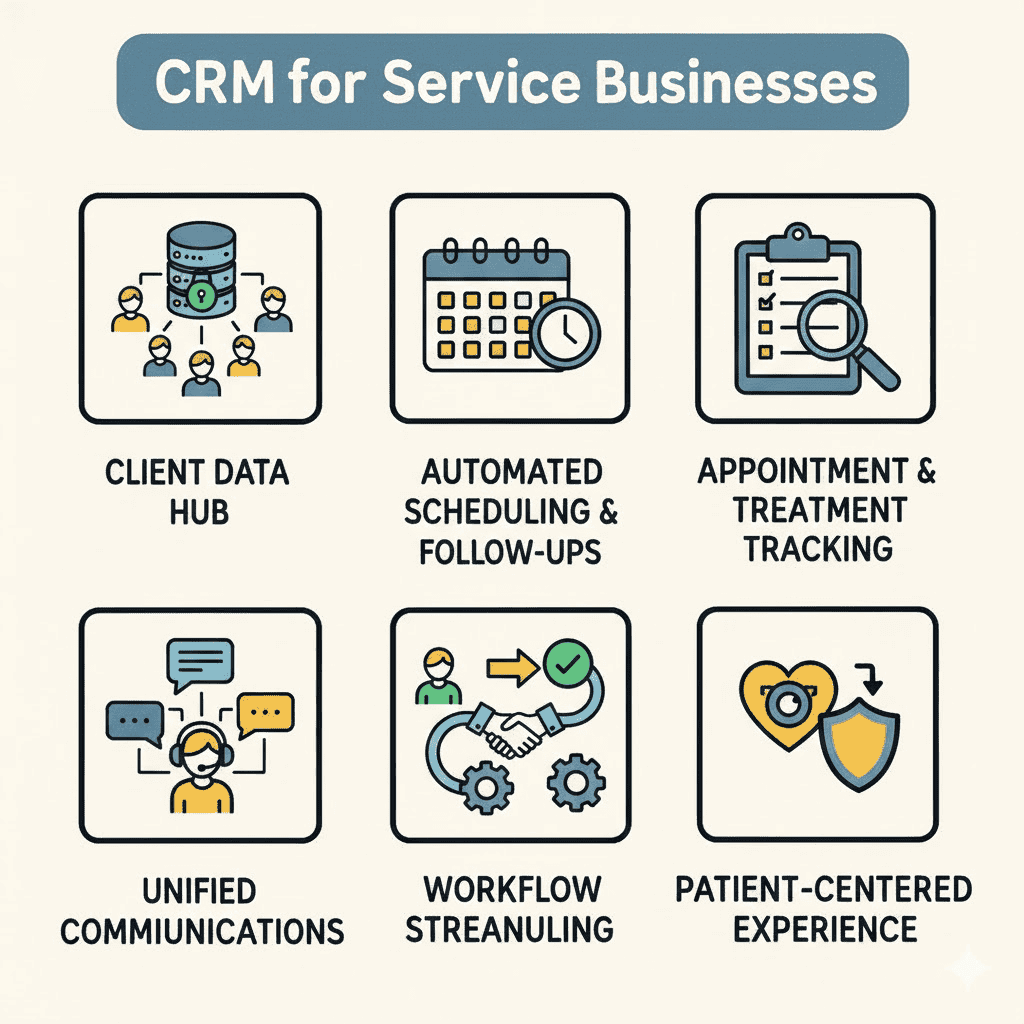
A CRM system transforms how clinics, healthcare or for that matter any service providers manage client relationships by centralizing patient data, automating scheduling and follow-ups, tracking appointments and treatments, and helping deliver a more reliable, efficient, and patient-centered experience. In a service context, customer relationship management software becomes the operational backbone that connects administrative staff, service providers, and client communications into one unified system. A business CRM supports service-based businesses in the service industry by streamlining customer management, improving efficiency, and addressing industry-specific requirements.
In this article, we will primarily focus on healthcare clinics. From dental offices and physical therapy centers to mental health practices and specialty care providers, clinics rely heavily on ongoing patient relationships and repeat visits. When patient inquiries come through multiple channels and treatment histories are scattered across systems or staff notes, opportunities for timely care and patient satisfaction can be missed.
What This Guide Covers
This guide focuses specifically on what CRM software actually does operationally for clinics and healthcare service providers, moving beyond generic software theory to real-world applications:
- How CRMs handle the complete clinical service lifecycle from initial patient inquiry to ongoing care and follow-up
- Core CRM capabilities that matter most for appointment-based, treatment-driven, and relationship-dependent healthcare providers
- Practical steps to map your current clinical workflows into a CRM system so it actually gets used
- Does NOT review specific CRM platforms or pricing tiers in depth, but focuses on capabilities and outcomes
Who This Is For
This guide is designed for clinic owners, practice managers, and healthcare administrators handling patient appointments and care coordination. Whether you’re running a dental practice, outpatient clinic, counseling center, or specialty care facility, you’ll find actionable insights for organizing patient interactions and clinical workflows. Operations managers and patient engagement teams tasked with improving clinic efficiency and patient satisfaction will also benefit from this practical approach to CRM implementation. Service companies across the service industry benefit from user-friendly CRM solutions and integrated business tools that streamline data management and enhance workflow efficiency.
Why This Matters
Missed appointment reminders, double-booked schedules, lost patient details, delayed follow-ups, and inconsistent care coordination are symptoms of clinics outgrowing manual systems. A CRM solution is often the infrastructure that allows clinics to scale operations without sacrificing patient experience, directly impacting patient retention and practice growth. Industry-specific CRMs provide unique features that cater to service-based needs, streamlining operations and addressing niche requirements.
What You’ll Learn:
- What customer relationship management systems actually do inside clinics and healthcare service providers, in plain language
- How CRMs support the full patient lifecycle from first inquiry to ongoing care and referrals
- Which essential CRM features matter most for different types of clinical practices
- Practical steps to implement CRM tools so your team actually uses them
Understanding Customer Relationship Management in a Clinical Service Context
Customer relationship management for clinics goes far beyond storing contact information. A clinical CRM combines patient data management, workflow automation, appointment scheduling tools, and business intelligence into one platform designed around the unique needs of healthcare providers delivering ongoing care through appointments and treatments. An operational CRM focuses on automating and streamlining core business processes such as scheduling, patient communications, and data management.
Clinics face different challenges than product businesses. You’re managing recurring appointments, treatment plans, patient follow-ups, and long-term relationships where care quality and communication directly impact patient loyalty and health outcomes. A service business CRM helps organize customer data and align CRM features with business processes to improve efficiency and patient care. Your “inventory” is time, expertise, and patient trust, making efficient scheduling and patient communications critical to practice success.
What Is a CRM for a Clinic or Healthcare Service Provider?
A clinical CRM is a centralized system that stores all patient data, tracks every patient interaction, manages appointment scheduling and treatment coordination, and automates routine administrative processes around each patient relationship. This connects to customer relationship management because it transforms scattered touchpoints (phone calls, emails, patient visits, treatment notes) into structured, trackable data rather than information lost in individual team members’ inboxes or paper charts. By tracking and nurturing patient inquiries, a CRM enhances lead management and customer relations, ensuring that every potential patient is followed up with and engaged throughout their journey. CRMs also help clinics identify sales opportunities by analyzing patient data and follow-up patterns to highlight prospects most likely to convert.
Consider three concrete examples: A dental practice uses CRM to track treatment history, schedule routine cleanings, and automatically send appointment reminders. A counseling center manages client intake, session scheduling, and therapist assignments through CRM workflows. A specialty clinic coordinates patient referrals, treatment milestones, and automated follow-ups through their CRM platform.
The Patient Lifecycle: From Inquiry to Ongoing Care
The typical clinical patient journey flows through distinct stages: initial inquiry → patient intake and qualification → appointment scheduling → treatment delivery → follow-up and outcome tracking → ongoing care or maintenance visits → referrals and patient advocacy. Building on the definition of clinical CRM, this lifecycle shows exactly where customer relationship management software plugs in at every stage. Just as in other service-based businesses, CRMs help manage the sales funnel and sales pipeline by guiding prospects through each stage, from initial inquiry to loyal patient, ensuring a seamless and personalized experience.
Many clinics excel at treatment delivery but struggle with early-stage patient engagement and post-care follow-up. CRM systems fill these gaps by automating lead nurturing, sending appointment reminders, qualifying new patient inquiries, and ensuring no potential patients fall through the cracks during busy periods.
By supporting every stage of the patient journey, CRMs help clinics grow customer relationships through personalized and scalable patient engagement across the entire lifecycle.
The next section examines what CRM tools actually do at each stage of this lifecycle, connecting clinical challenges to specific CRM capabilities.
What Do CRMs Actually Do for Clinics and Healthcare Providers?
Understanding the patient lifecycle provides the framework, but healthcare professionals need to see exactly how customer relationship management systems solve day-to-day operational challenges. By streamlining communication and organizing patient data, CRMs lead to better customer relationships through more personalized and timely interactions. Each CRM capability below addresses specific pain points that prevent clinics from growing efficiently while maintaining high patient satisfaction. CRMs also help clinics improve customer retention by providing better insights and proactive engagement with patients.
1. Capture and Organize Every Patient Inquiry, Lead, and Customer Data
A CRM system replaces scattered spreadsheets, paper forms, and manual notes with one shared database that captures patient inquiries from all sources: website contact forms, phone calls, social media, referrals, and marketing campaigns. By centralizing information, a CRM helps organize customer data, making business operations more efficient and improving customer relationships. Modern CRM software automatically logs inbound communications and tracks lead sources so you know which outreach efforts generate the most qualified patient interest.
This ties back to the inquiry and qualification stages in the patient lifecycle by ensuring no potential patient “falls through the cracks.” Instead of inquiries getting buried in email inboxes during busy periods, the CRM creates a systematic approach to contact management that supports consistent follow-up and lead qualification.
2. Track Patient Interactions, Notes, and Treatment History
CRM platforms store comprehensive records of every patient interaction: call logs, email threads, appointment notes, treatment plans, and file attachments like lab results or imaging. Any CRM that stores patient health information must be HIPAA-compliant and sign a BAA. The CRM also consolidates all customer communications across multiple channels, making them easy to access and reference. This historical patient data creates a complete timeline of care, accessible to any authorized team member who needs patient context.
Unlike generic contact lists or paper charts, a CRM gives each patient a detailed treatment history that enables personalized care and prevents miscommunications. When a patient calls with questions, your team immediately sees past visits, treatment preferences, outstanding referrals, and upcoming appointments, leading to faster problem resolution and improved patient relationships.
3. Streamline Patient Intake, Quotes, and Approvals
CRM tools often include intake form automation, pre-built templates for treatment plans, and electronic signature integration for consent forms. This automation reduces the time between patient inquiry and appointment booking, directly impacting conversion rates and patient satisfaction. By automating repetitive tasks like data entry and approvals, CRMs increase efficiency and reduce errors, allowing staff to focus on more strategic activities.
For many clinics, this integrates with appointment management features, allowing intake forms to automatically populate patient records and schedule visits with all details already captured, eliminating duplicate data entry and reducing errors.
4. Schedule Appointments, Assign Providers, and Prevent Double-Booking
Calendar integration and resource management features help clinic staff book providers, exam rooms, or equipment into available time slots while preventing scheduling conflicts. CRM systems provide visibility into who is booked where, automatically alerting managers to potential double-bookings or capacity issues.
For clinics with recurring appointments (therapy sessions, follow-up visits, or maintenance care), CRM automation handles series scheduling and sends appointment reminders to both patients and providers, reducing no-shows and improving operational efficiency.
5. Automate Lead Nurturing, Appointment Reminders, and Follow-Ups
Marketing automation within CRM platforms sends triggered communications based on patient actions or timeline events: appointment confirmations, “your test results are ready” notifications, annual checkup reminders, and patient satisfaction surveys. Lead nurturing workflows qualify new patient inquiries by sending targeted educational content and follow-up messages to encourage appointment booking.
This automation reduces manual administrative tasks while improving patient engagement, retention, and care continuity.
6. Support Billing, Payments, and Basic Financial Tracking
Most CRM solutions integrate with practice management and accounting software or include basic invoicing capabilities that convert completed appointments into bills. Integration with other business tools is crucial for CRMs to provide a complete view of customer interactions and streamline workflows. This integration shortens the gap between service delivery and payment collection, improving cash flow for clinics.
While CRM systems aren’t full billing platforms, they provide visibility into outstanding invoices, revenue per patient, and payment trends that help clinics identify their most valuable patient relationships and potential collection issues.
7. Measure Clinic Performance and Identify Business Growth Opportunities
CRM analytics transform daily clinical activities into measurable business intelligence through reports on appointment conversion rates, average treatment values, provider utilization, patient no-show rates, and patient retention. Clinic managers use this sales and operational data to identify bottlenecks like slow intake processing or high patient churn after specific treatments. By analyzing sales data, clinics can uncover new sales opportunities and make informed decisions that drive sales growth.
Key Points:
- CRM tools turn day-to-day clinical operations into valuable patient insights and actionable business intelligence
- Better data leads directly to smarter decisions about staffing, pricing, marketing campaigns, and care offerings
- Performance reporting closes the loop on the patient lifecycle by showing what actually drives practice growth and patient loyalty
The next section moves from understanding CRM capabilities to practical implementation, showing how to map your specific clinical workflows into a CRM platform that your team will actually use.
Leveraging Historical Patient Data in Your CRM
For healthcare service providers (particularly medical practices and wellness clinics), the capacity to systematically leverage comprehensive patient data repositories represents a transformative advancement in patient relationship management and clinical service personalization. A sophisticated Customer Relationship Management (CRM) platform functions as the centralized clinical data hub, meticulously organizing all patient information (from detailed appointment histories and comprehensive treatment documentation to communication logs and patient feedback assessments), ensuring immediate accessibility for clinical decision‑making and patient care optimization.
Through systematic analysis of longitudinal patient data, medical practices can identify critical clinical patterns and behavioral trends that illuminate patient preferences and care requirements. For instance, providers might recognize seasonal fluctuations in specific service utilization (hormone therapy consultations during winter months, weight‑loss program enrollments post‑holidays), or determine which follow‑up communication protocols yield optimal patient satisfaction scores and treatment adherence rates. This clinical intelligence enables healthcare teams to develop targeted patient outreach campaigns, anticipate individual patient needs, and proactively engage potential patients with relevant treatment options, wellness programs, or preventive care reminders.
Historical patient data serves as a fundamental component in clinical forecasting and resource allocation planning. By analyzing past patient behaviors, treatment responses, and service preferences, medical practices can more accurately predict future demand patterns, optimize clinical staff scheduling, and develop evidence‑based marketing strategies that resonate with their patient demographics. This approach not only enhances overall patient satisfaction and clinical outcomes but also significantly improves patient retention rates and long‑term treatment compliance across diverse patient populations.
Ultimately, the comprehensive utilization of patient data through advanced CRM systems empowers clinical teams to deliver highly personalized, responsive, and clinically effective care, transforming every patient interaction into a strategic opportunity to strengthen therapeutic relationships and drive sustainable practice growth while maintaining the highest standards of patient‑centered healthcare delivery.
CRM Costs and Pricing Models for Clinics and Healthcare Providers
When evaluating CRM costs and pricing models, healthcare practices and clinical providers must conduct comprehensive assessments that extend far beyond initial subscription fees, examining the complete spectrum of operational requirements, workflow optimization needs, and strategic growth trajectories. The appropriate CRM platform should demonstrate precise alignment with your practice’s patient volume, clinical workflow complexity, and expansion objectives, delivering pricing architectures that integrate seamlessly with your operational and financial realities.
CRM vendors typically deploy multiple pricing strategies: tiered subscription models based on comprehensive feature sets, per‑provider monthly fee structures, or enterprise‑level packages supporting unlimited clinical staff access. Advanced solutions may incorporate additional charges for enhanced data storage capacity, specialized healthcare integrations, HIPAA‑compliant security features (required if you store patient health information), or premium clinical support services. Healthcare administrators must evaluate not merely the immediate subscription investment, but the total cost of ownership, encompassing implementation protocols, clinical staff training programs, system customization requirements, and ongoing technical support infrastructure.
Selecting the optimal CRM solution requires strategic balancing of budget constraints with essential clinical functionality: platforms that effectively manage patient interactions, automate administrative workflows, and generate actionable patient engagement insights. A properly scalable CRM infrastructure supports streamlined clinical processes as your practice expands, ensuring cost‑effectiveness while avoiding feature redundancy or system limitations that restrict adaptability to evolving healthcare delivery requirements.
Through methodical evaluation of CRM costs and pricing architectures, healthcare providers can strategically invest in platforms that deliver measurable clinical value, enhancing patient relationship management, supporting sustainable practice growth, and enabling clinical teams to maintain primary focus on core objectives: delivering exceptional patient care and optimizing healthcare outcomes.
Putting CRM to Work in Your Clinic
Understanding CRM functions provides the foundation, but clinic owners and administrators need practical guidance for mapping their existing workflows into customer relationship management software. This section offers a systematic approach to CRM implementation that drives adoption and delivers measurable results. Choosing a user-friendly CRM with an intuitive interface is essential to encourage team adoption and ensure a smooth transition.
Step-by-Step: Mapping Your Clinical Workflow Into a CRM
When to use this: This process works best for clinics implementing their first CRM system or replacing basic scheduling and contact management tools.
- Document your patient journey: Map how patients currently move from first inquiry to booked appointment and follow-up, including all the informal steps your team actually follows.
- List all touchpoints and tools: Identify every place patient data lives (phone calls, emails, text messages, scheduling apps, paper forms, spreadsheets) to understand what needs consolidation.
- Map touchpoints to CRM objects: Decide what becomes a lead, patient record, appointment, treatment plan, or follow-up task within your chosen CRM platform.
- Configure fields and stages: Create custom fields for treatment types, provider assignments, appointment status, and build pipeline stages that match your actual patient intake and care workflow.
- Automate obvious follow-ups: Set up workflows for appointment reminders, post-visit thank-you messages, and re-engagement campaigns for patients overdue for care.
- Train the team on one simple daily routine: Focus on essential actions like logging patient calls, updating appointment status, and scheduling next steps. Keep initial training minimal to drive user adoption.
Comparison: General CRM vs Clinical-Focused CRM
| Feature | General CRM | Clinical-Focused CRM |
|---|---|---|
| Appointment Scheduling | Basic calendar integration | Built-in scheduling with provider and room resource management |
| Mobile Access for Field Work | Standard mobile app with basic data entry | Mobile access with patient check-in, forms, and treatment notes |
| Industry Workflows | Customizable but requires setup | Custom built automations for intake, treatment plans, follow-ups |
| Integration Requirements | Flexible but manual configuration | Ready-made connections to practice management and billing software |
General CRM platforms offer broad customization and work well for clinics with complex workflows. Clinical-focused CRM solutions provide healthcare-specific features out of the box but may be less flexible for multi-specialty practices.
The choice depends on your team’s technical expertise and whether your clinical workflows fit standard industry patterns or require significant customization.
When considering the best CRM for service-based businesses, it’s important to evaluate service-based CRM solutions that are tailored to the unique needs of the service industry. The best CRM options for service businesses include monday CRM, which is best for service companies looking for a flexible and scalable CRM that will improve service levels. HighLevel CRM is designed with streamlining customer relationship management in mind and offers many tools to help teams attract, engage, and delight at different stages of customer journeys. Zoho CRM provides a 360-degree view of customers and is fully customizable to fit existing workflows, making it a strong choice for those seeking a service-based CRM. Similarly, Salesforce CRM is a leading platform ideal for enterprise-level service businesses with complex customer relationship management needs, offering a unified customer profile and AI-driven insights. Creatio is a low-code CRM platform that allows service businesses to create tailored workflows with minimal technical skills. For small businesses, FieldPulse is an all-in-one field service CRM software designed specifically for the service industry. Choosing the best CRM for service means considering usability, customization, scalability, and industry-specific features to streamline operations and support business growth.
Common CRM Challenges for Clinics and How to Solve Them
Many clinics purchase CRM software but never fully utilize its capabilities, often due to predictable implementation challenges. This section addresses the most common obstacles that prevent clinical teams from gaining value from their customer relationship management system, with actionable solutions for each issue.
Challenge 1: The Team Sees CRM as Extra Admin Work
Healthcare providers and front desk staff often prefer informal communication methods like phone calls or texts, viewing CRM data entry as additional administrative burden that takes time away from patient care. Sales reps and sales teams in other service-based businesses also benefit from user-friendly CRM features that streamline their workflows, making it easier to manage customer relationships and sales processes efficiently.
Solution: Integrate CRM updates into existing workflows rather than adding new steps. Use mobile CRM access with simple appointment status buttons, voice-to-text note entry, and document uploads that make data collection feel like part of the care process. Establish non-negotiables like “no appointment marked complete until basic details are in the CRM” and remove duplicate tools that create extra work.
Challenge 2: Data Is Messy, Incomplete, or Duplicated
Poor data quality undermines CRM value through duplicate patient records, incorrect contact information, missing treatment history, and inconsistent data entry that makes reporting unreliable.
Solution: Implement a data hygiene plan starting with initial cleanup to merge duplicates and standardize formats. Configure required fields for essential information, schedule periodic data reviews, and limit user permissions on critical fields to prevent accidental changes. Clean, organized patient data is essential for reliable business intelligence and effective patient communication automation.
Challenge 3: CRM Doesn’t Match How You Actually Deliver Care
Default CRM configurations often reflect product sales processes rather than clinical workflows involving appointments, treatment plans, and ongoing patient relationships.
Solution: Customize pipeline stages, field labels, and workflow automation to reflect actual clinical stages like “intake scheduled,” “treatment in progress,” “awaiting test results,” and “follow-up needed.” Test the configuration with real patient scenarios before full team rollout. If customization becomes too complex, consider switching to a more clinical-specific CRM platform designed for your specialty. It’s essential to identify the key features your service-based business needs and evaluate features like ease of use, customization options, mobile access, AI capabilities, and vendor support when choosing a CRM.
Once these adoption hurdles are addressed, CRM systems become growth engines that improve patient retention, streamline clinical processes, and provide valuable patient insights rather than administrative burdens.
Conclusion and Next Steps
Customer relationship management systems serve as the operational hub for clinics and healthcare providers, centralizing patient data, automating routine tasks, and providing the business intelligence needed to grow efficiently while maintaining high care quality. Service-based CRMs are especially valuable for small businesses and service professionals, as they are tailored to improve customer engagement, streamline workflows, and automate tasks specific to service industries. The value comes from matching CRM capabilities to your actual clinical workflows and keeping implementation simple enough that your entire team consistently uses the system.
For clinics, CRM success means better patient retention, more efficient scheduling, faster intake-to-treatment cycles, and the organized patient data needed to identify growth opportunities and improve team performance. Mobile access in CRM systems is vital for service professionals, allowing team members to manage their tasks from anywhere. The technology enables personalized care at scale while reducing the manual coordination that limits growth in relationship-dependent healthcare practices.
CRM solutions help businesses adapt to various customer needs, improving service quality across diverse sectors like biotech and tourism. In a competitive market like San Diego, CRM helps businesses deliver superior, consistent customer experiences. Customer Relationship Management systems help improve customer satisfaction, retention, and profitability for service-based businesses in San Diego. By implementing tailored CRM solutions, service-oriented companies can significantly enhance customer satisfaction and retention.
A well-implemented CRM can transform customer management, allowing businesses to focus more on quality service delivery and providing a single source of truth for customer data, ensuring everyone at the company can provide the expected level of service. CRM systems provide several benefits, including better management of every customer interaction, leading to higher customer satisfaction and loyalty. Scalability is an essential feature in a CRM, allowing it to adapt to increasing demands as a business grows. A well-chosen CRM balances cost with scalability to support current needs while allowing room for growth. Consider the number of users you will require when selecting a CRM, as this can affect pricing and features. Free trials are often available for CRM platforms, allowing businesses to test features before committing. The CRM market is expected to grow significantly, indicating the increasing importance of CRM solutions in business.
To get started:
- Identify 3-5 critical operational problems like missed appointment reminders, double-bookings, slow intake processing, or lost patient details
- Map your current patient journey against the CRM functions described in this guide to identify priority features
- Trial 1-2 CRM solutions that best match your clinical service type, using test data rather than live patient records, for 30-60 days
Related Topics:
- How to choose between general CRM platforms and clinical-specific healthcare CRM solutions
- Best practices for automating patient communications without appearing impersonal or intrusive
- Using CRM analytics to optimize scheduling, patient engagement, and referral programs